Company
Pluralsight
Role
Principal Product Designer
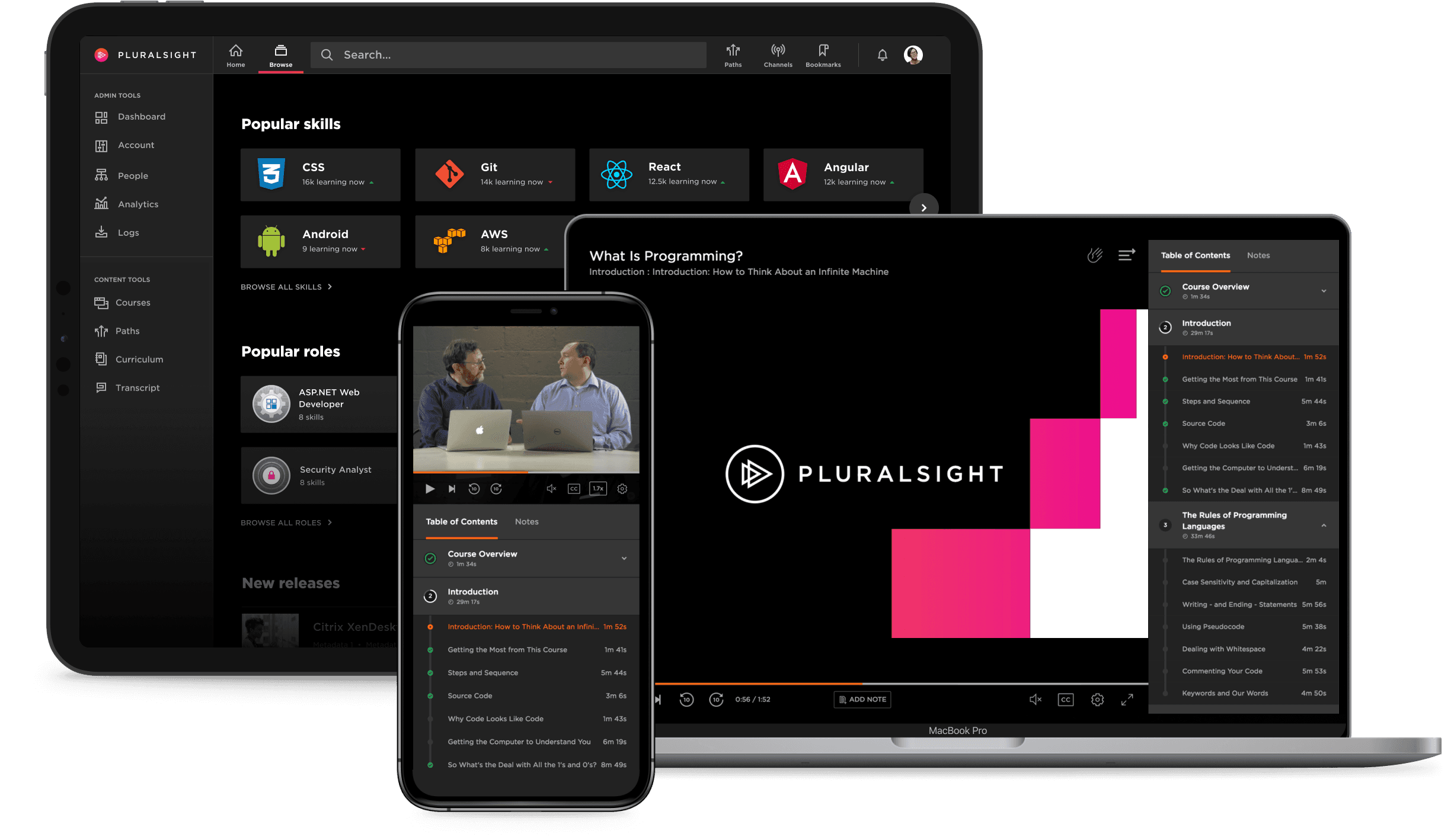
Designed and delivered multiple experiences including course viewing experience, note taking, information architecture and navigation. Read on for samples of some of the work.
Information Architecture and Navigation
As Pluralsight grew, acquired companies, and added features, the product expanded and refactoring the information architecture became warranted. The navigation model didn't scale well to enable discoverability and orientation, and the interaction cost was hindering the user experience. Mapping the existing information architecture helped confirm the rising problems.
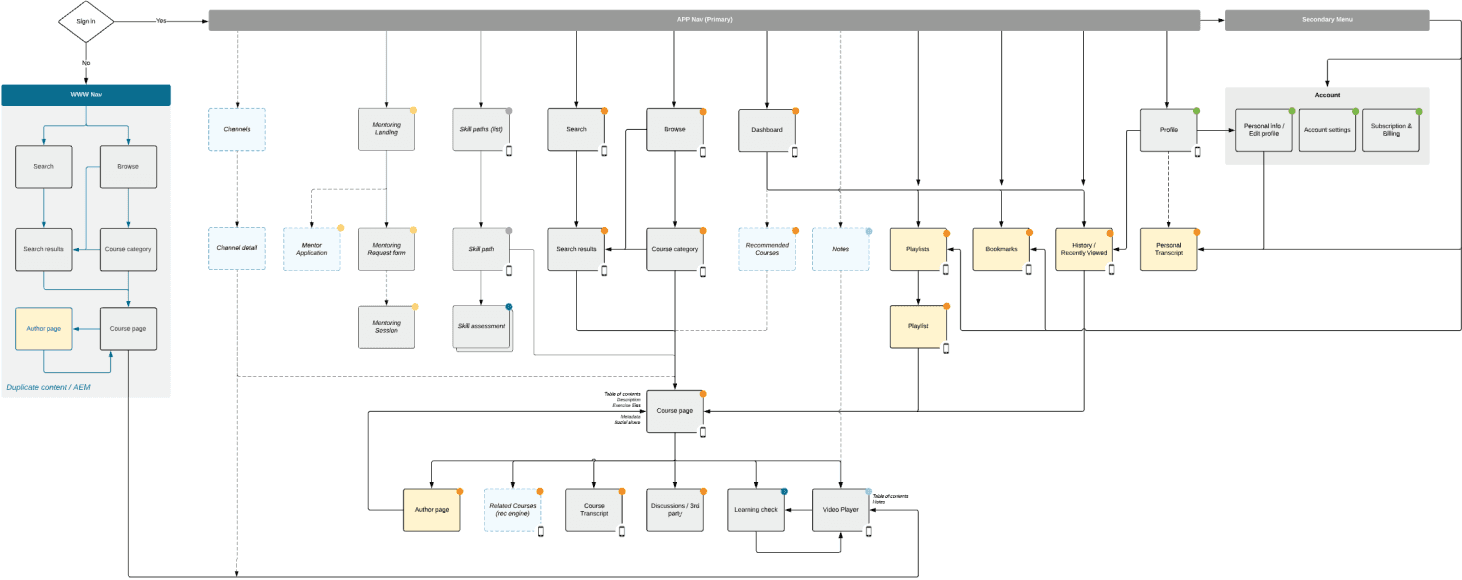
The existing model leveraged a format-based navigation for finding content. As more learning formats were added, the interaction cost grew and affected engagement.
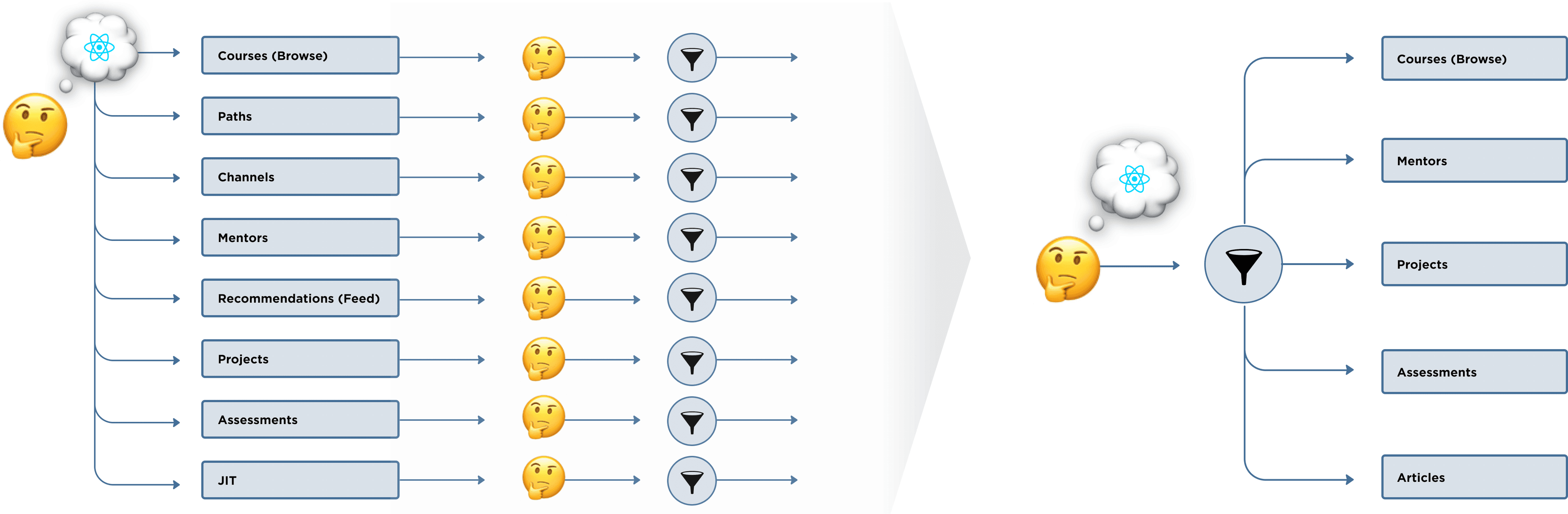
A discovery effort drove a hypothesis that topic-based navigation would align better with our learner's mental models than format-based navigation. To test into this hypothesis, we ran a series of tests.
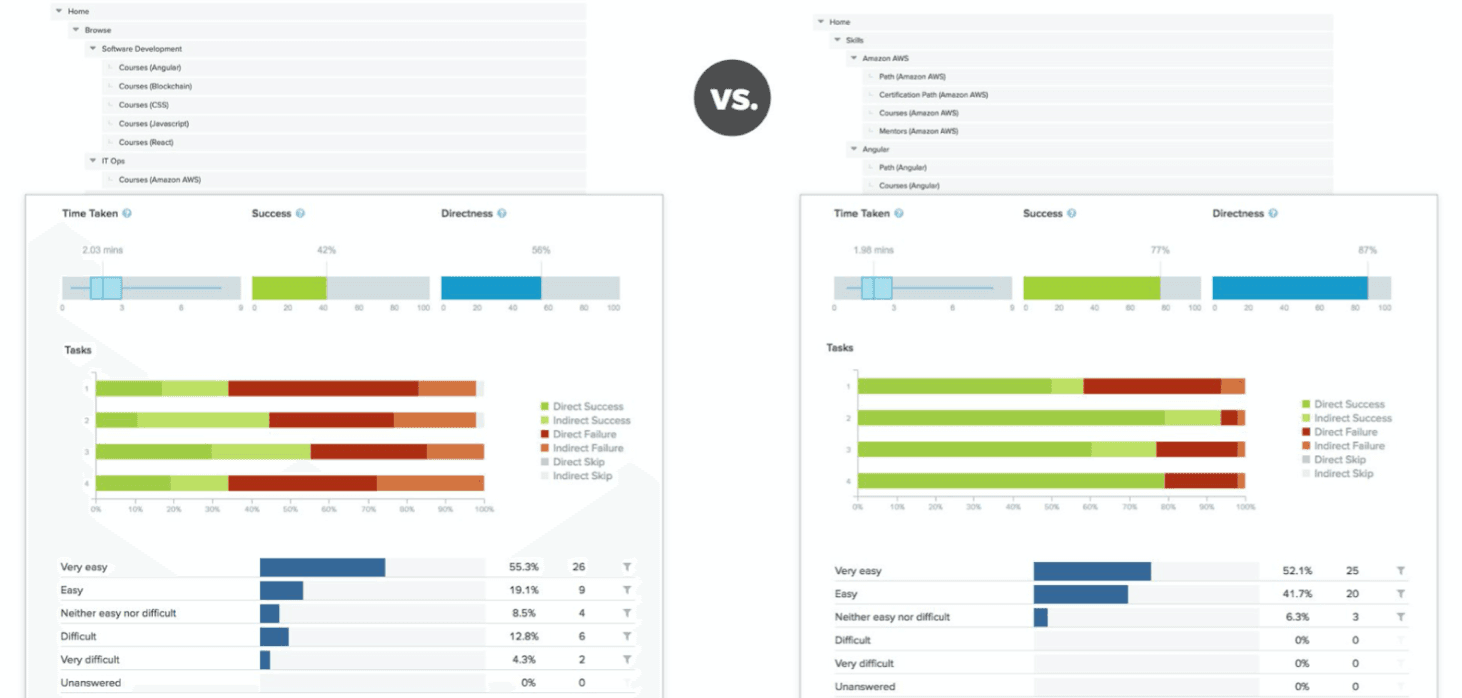
After a number of experiments supporting our hypothesis, the information architecture was redesigned. The high level IA put in order learner motivations and primary jobs to be done.

After additional testing, detailed design solidified. Comprehensive design was tuned across features and user permissions.
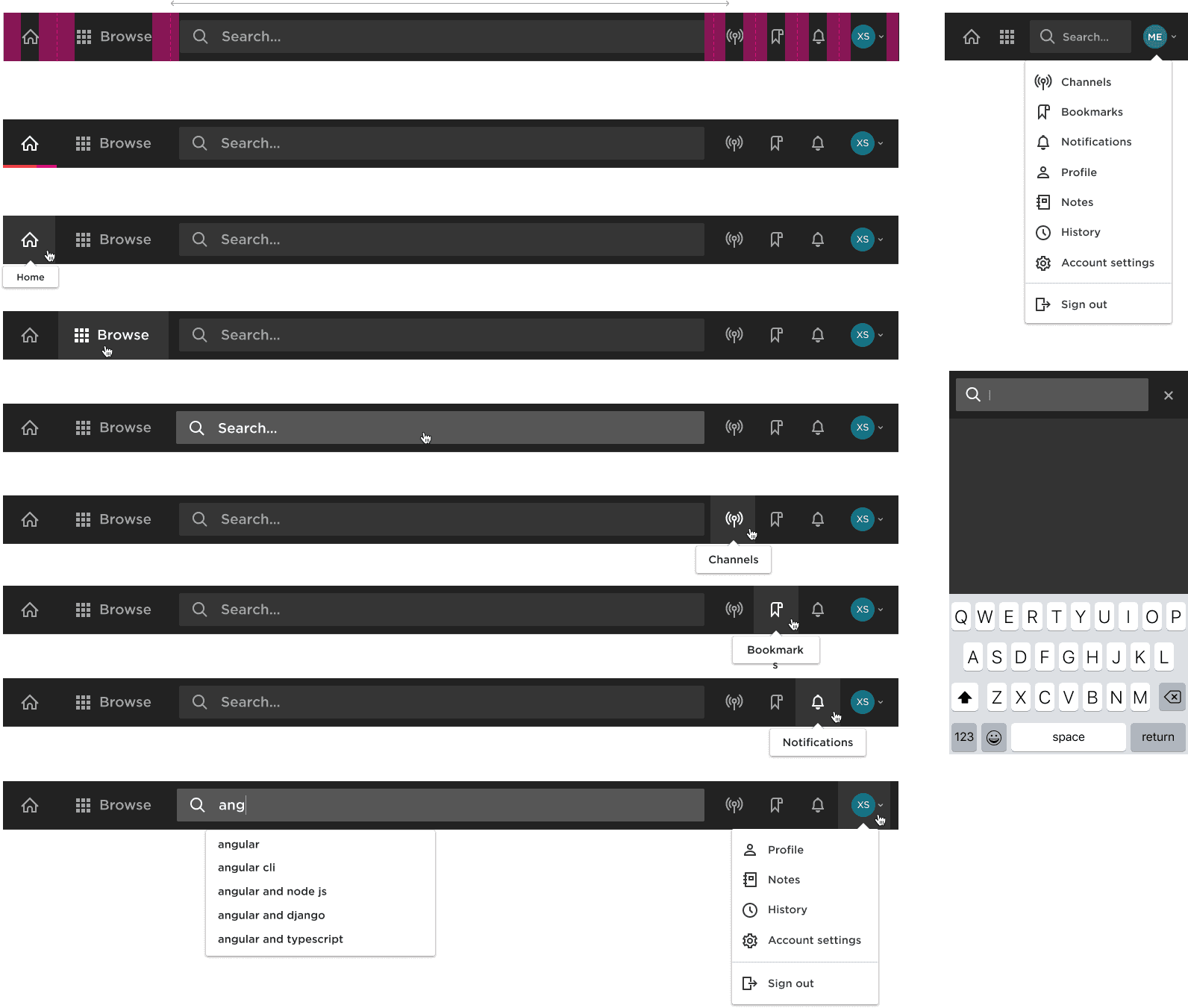
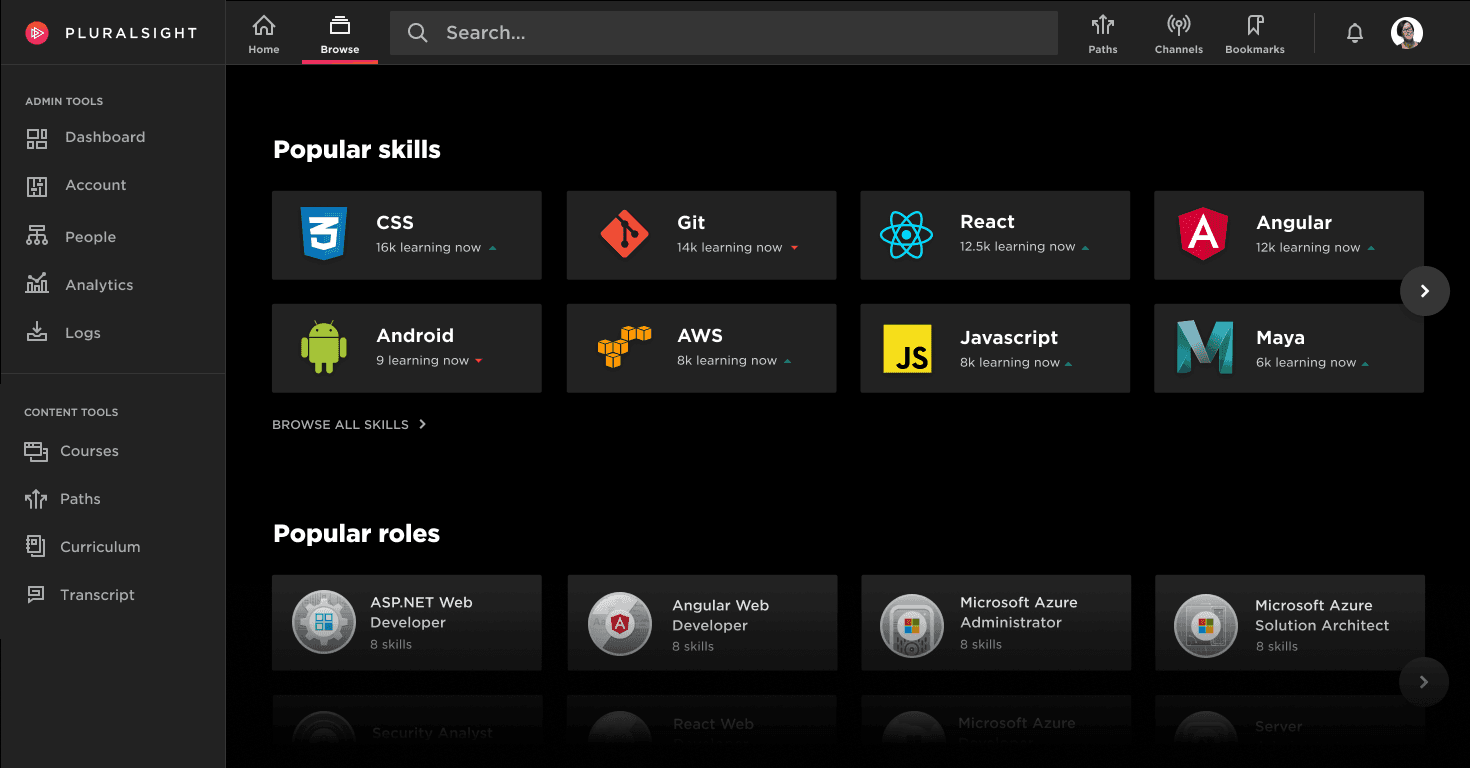
After deploying the redesign, we observed key metrics and made a series of optimization tweaks. While the learner experience is primary, there were other user roles to which the navigation had to scale. The underlying system supported scaling without compromising primary motivations. This project brought valuable lessons learned along the way which are influencing ongoing improvements.
Course Viewing Experience
In designing the course viewing experience, we took a systems first approach to anticipate scalability and prioritize for critical functionality. Sketching systems and experiences helped rally stakeholders while keeping the fidelity malleable.
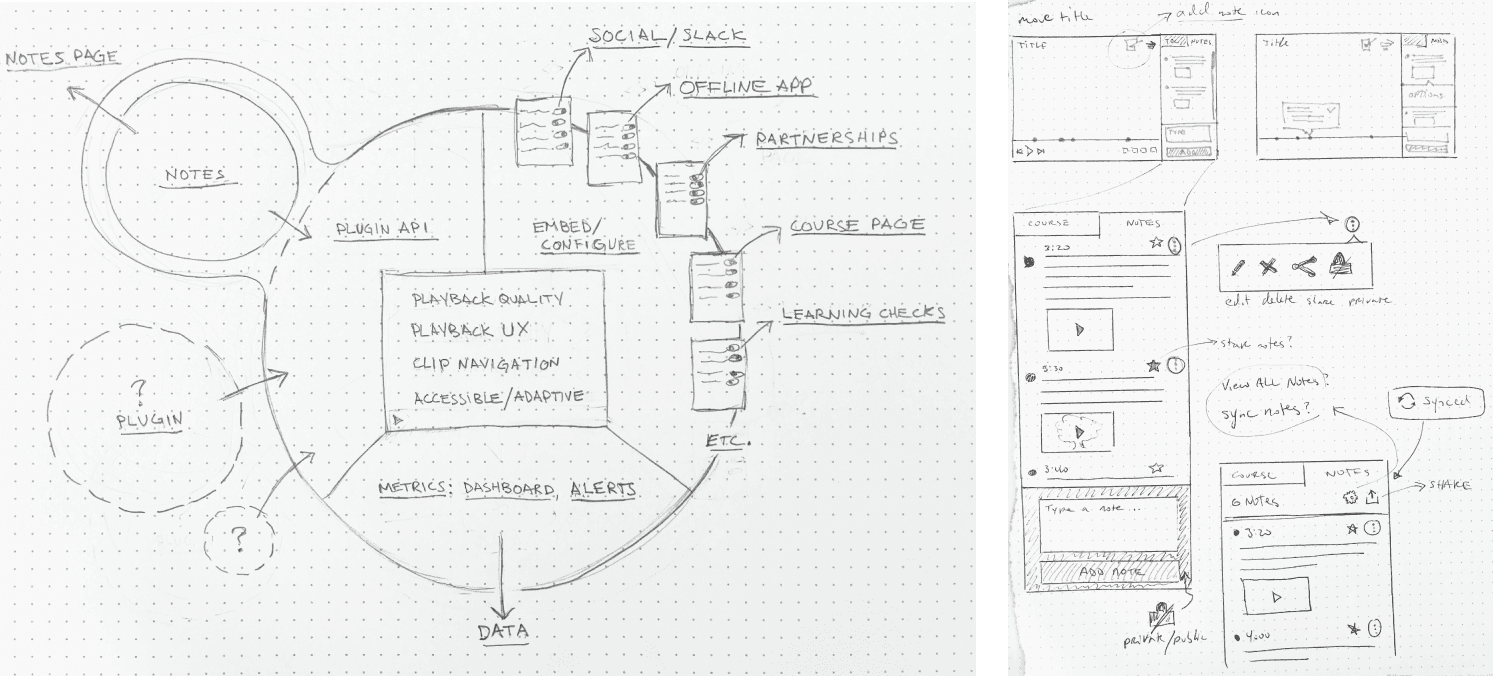
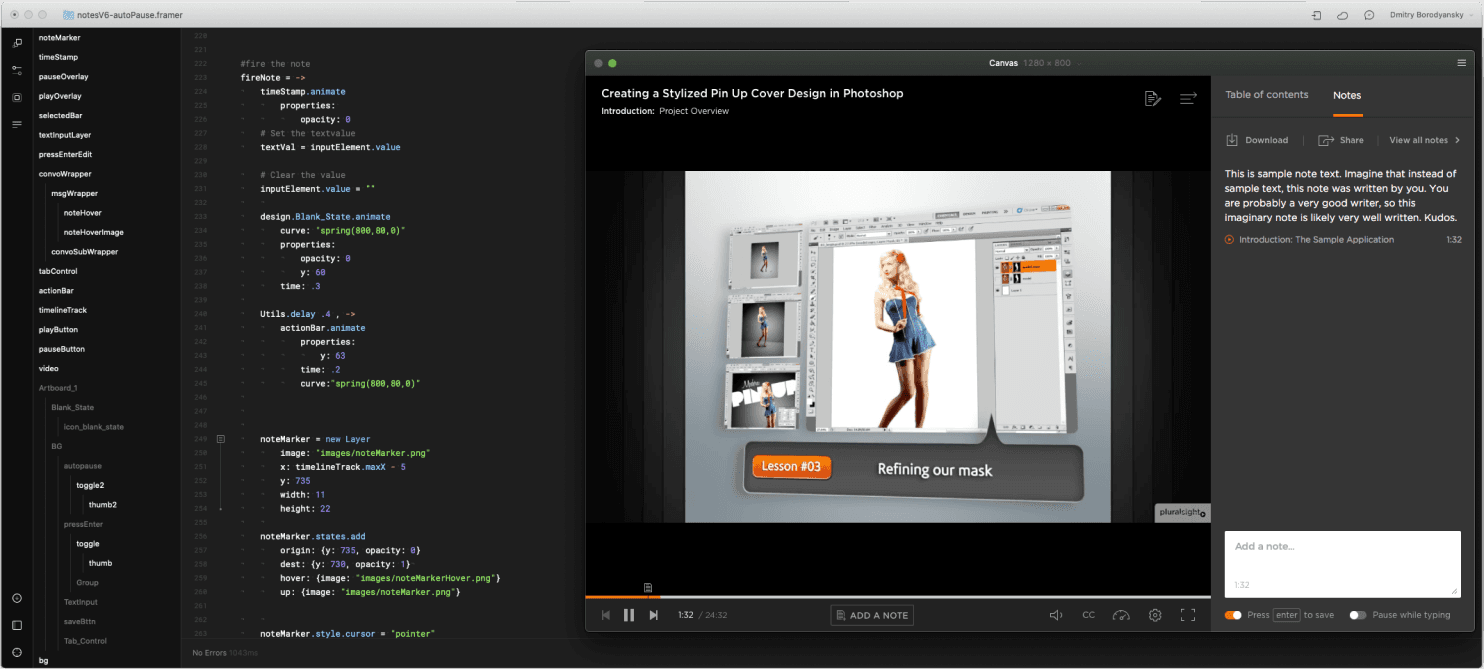
After iterating through system diagrams and wireframes it was time to test design prototypes with users. While basic clickable prototypes provide value in testing experiences, in the case of video viewing and note taking experience the uncanny valley quickly became hard to bridge. For usability and viability testing we had to create more realistic prototypes, with more micro-interactivity. I built Framer prototypes which helped us fine tune video control, keyboard interactivity, and motion.
During this time I concurrently performed the role of Product Manager for our team delivering video experiences and services. As we matured the design, I organized the translation of the design and managed delivery.
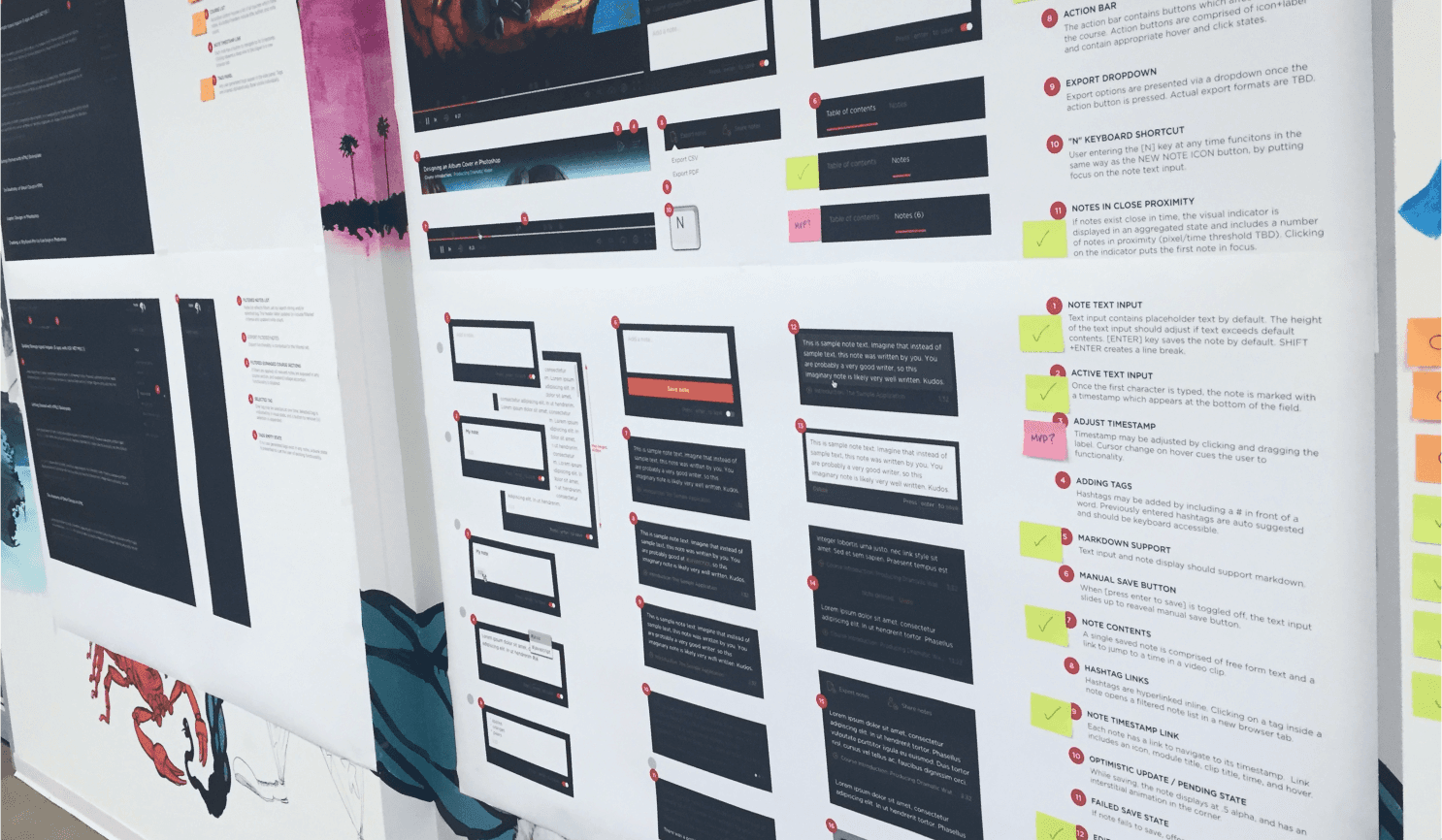
As usual, delivered was not done, and key optimizations and improvements were made based on insights observed through analytics and user observation. The video viewing experience proved successful both in measuring a higher satisfaction scores and key reliability indicators.
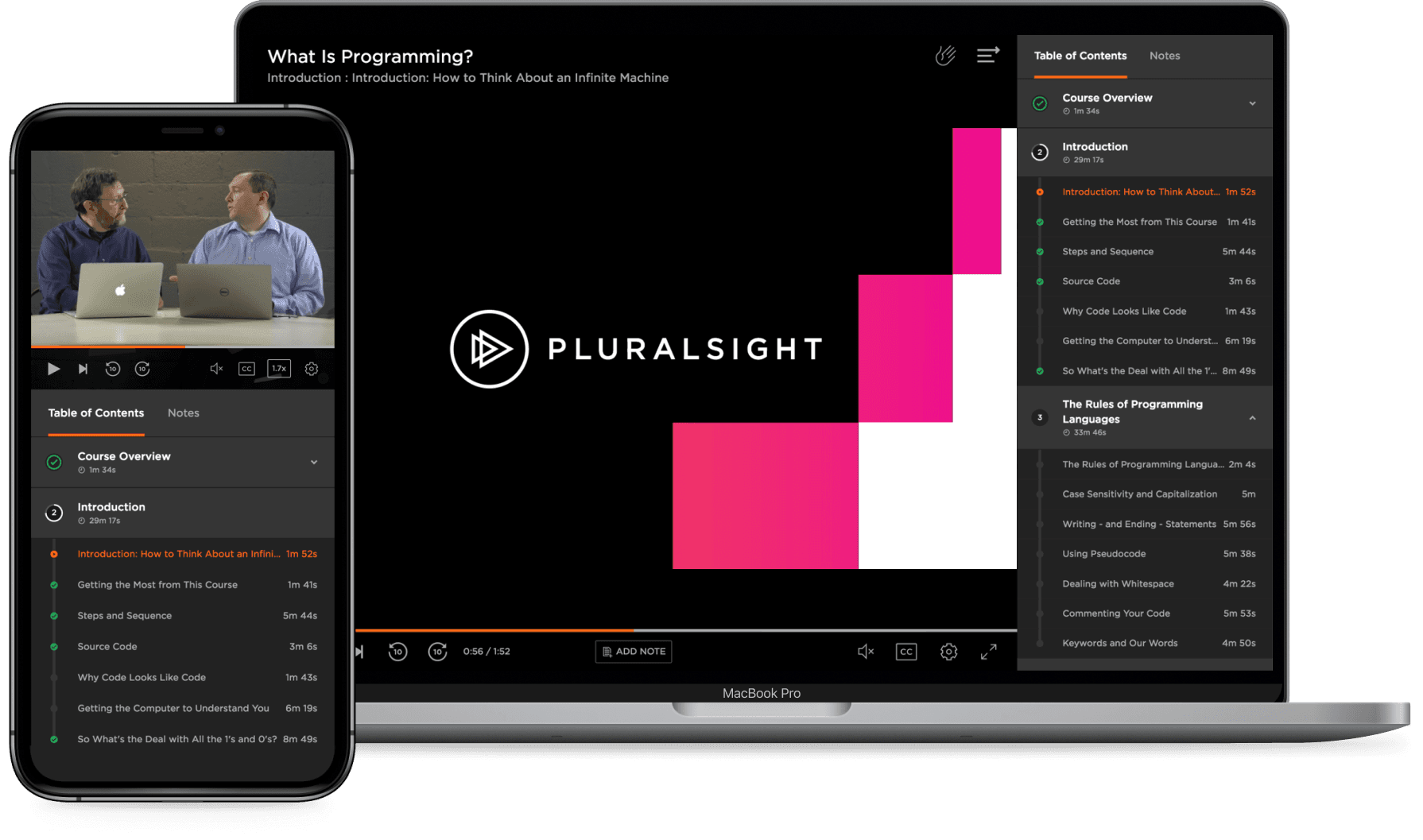
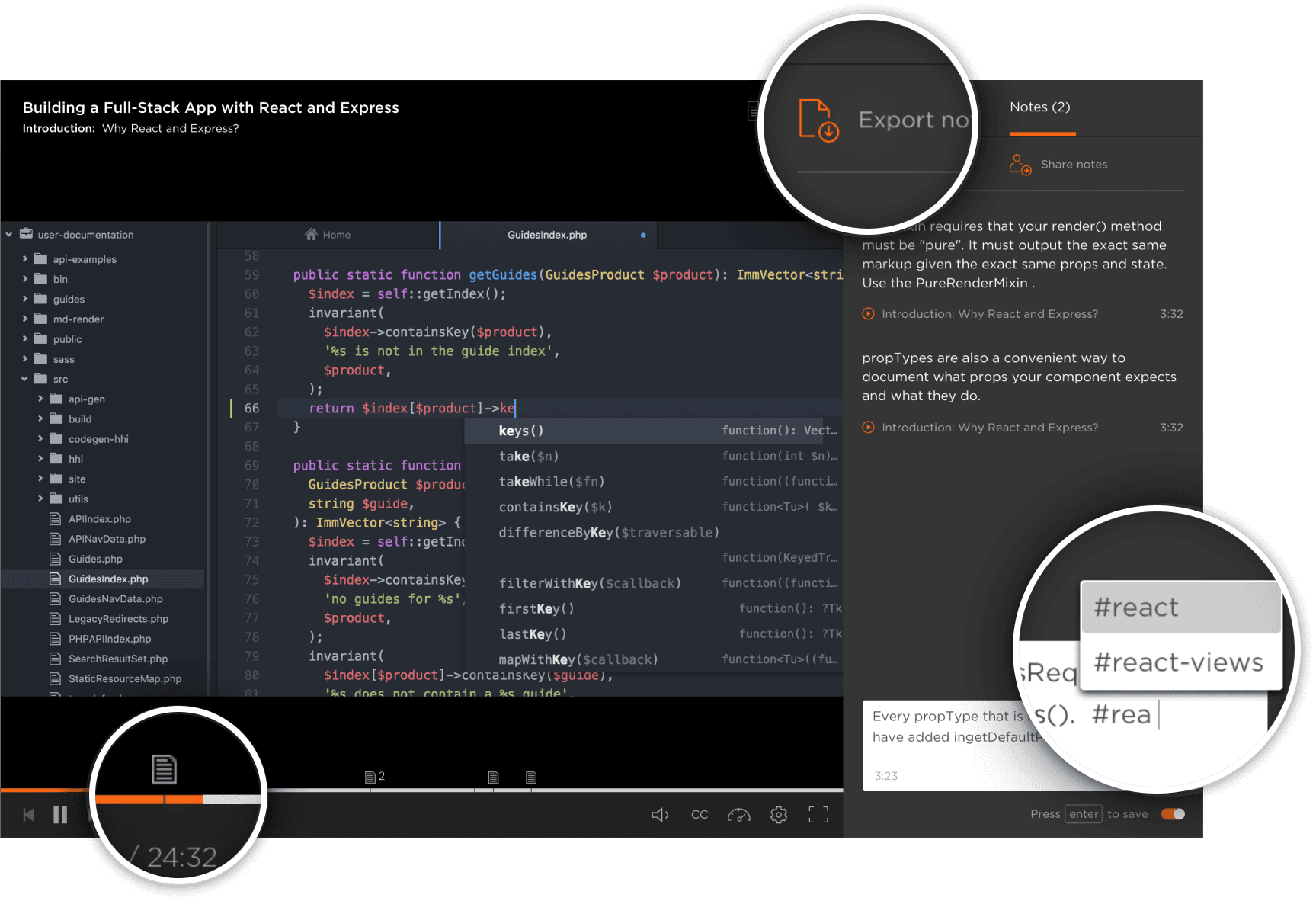
The notes feature enhances the learning experience on Pluralsight by allowing the following benefits:
Contextual note-taking – The notes tool includes a timestamp feature which registers the note to an exact moment in any given course. When reviewing previously written notes, members—with just one click—can jump directly to the point in a Pluralsight course where the note was originally created.
Quick and simple accessibility – Each note is automatically organized and saved to a member’s account for future reference. Members can tag notes with hashtags to structure them on important topics, courses or projects for fast and simple recall.
Easy download for knowledge-sharing – The new feature allows members to download personal notes. Downloaded notes can then be added to a different note system or shared with colleagues.
Users who engaged with the note taking experience showed greater retention and engagement over time.